Datasphere Business Builder deprecated: moving to Analytic Models
SAP has deprecated the SAP Datasphere Business Builder (wave 2026.21). What it means, what still works, and how to migrate consumption models and perspectives.
Table of contents
On 7 October 2026, with wave 2026.21, the SAP Datasphere What’s New gained a line many of us had been expecting: the Business Builder is deprecated and will not receive further updates. SAP’s official advice is to migrate consumption models to Analytic Models. If you have SAP Analytics Cloud stories built on perspectives, this concerns you. Here is what changes, what doesn’t, and how I would plan the move.
What SAP actually announced
The note is short, so it pays to read it literally:
- The Business Builder is deprecated and will not receive further updates.
- SAP recommends migrating consumption models to analytic models, now the preferred way to expose data to SAP Analytics Cloud and other clients, tools and apps.
The same note now sits in the Business Builder documentation, whose chapter is renamed Modeling Data in the Business Builder (Deprecated), and on the Business Builder start page.
There is a useful precedent. The Analytical Dataset semantic usage was deprecated a while ago: existing views can still be consumed by SAC “at present”, but SAP steers you towards Fact + Analytic Model. The Business Builder is following the same path. And back in August (wave 2026.18) SAP aligned the Business Builder data preview with the Analytic Model one and dropped the preview for perspectives, business entities and authorization scenarios. That was a clear hint.
Which objects are affected
The Business Builder had four building blocks. This is how I map them to the Data Builder world:
| Business Builder object | What it was for | Recommended replacement |
|---|---|---|
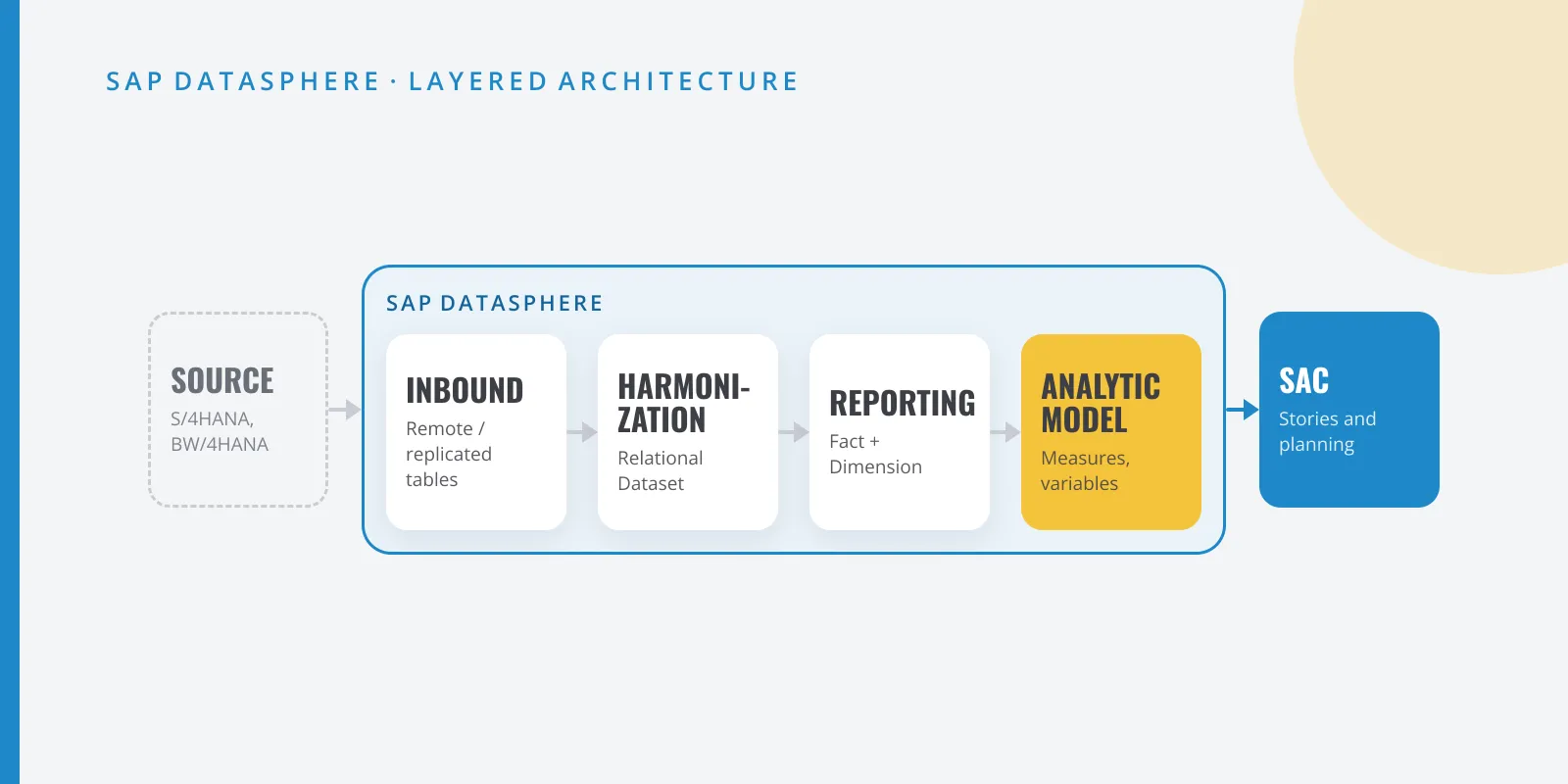
| Business entity | Stable layer over a Data Builder entity, with a switchable source | View with Fact or Dimension semantics. To swap the source, use Replace Fact Source in the Analytic Model |
| Fact model | Combining several business entities into an intermediate model | A Fact view that does the union or join before the Analytic Model |
| Consumption model | Star schema with measures, attributes, filters and authorizations | Analytic Model: calculated and restricted measures, variables, global filter and DACs |
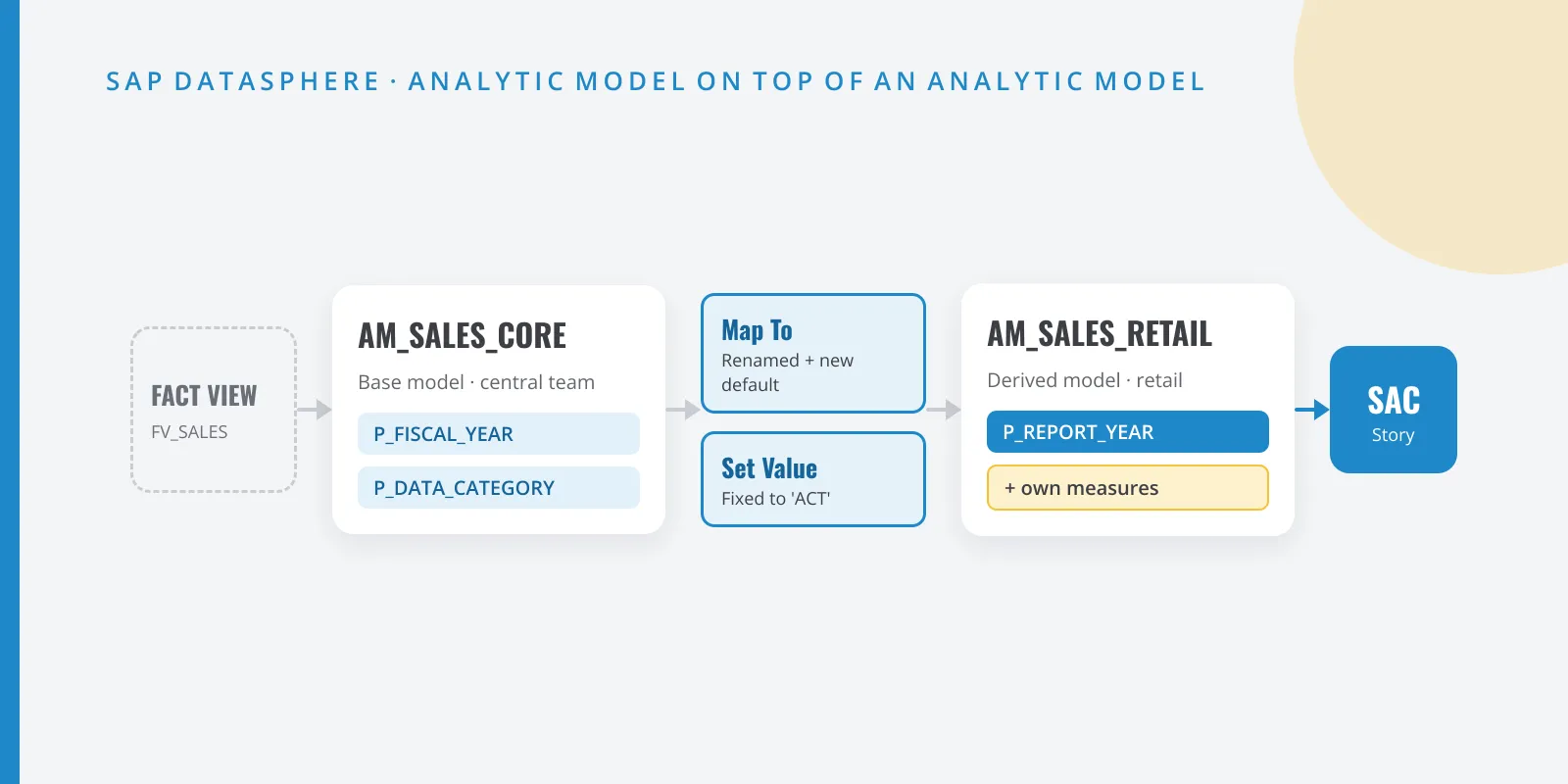
| Perspective | Lightweight subset consumed by SAC | One Analytic Model per use case, or an Analytic Model stacked on another |
Two differences to be clear about before you start:
- Multiple fact sources. A consumption model could combine several fact sources; the documentation’s own example is CO-PA with actuals, budget and forecast. According to the documentation, an Analytic Model starts from one source: a fact or another analytic model. In practice you resolve that combination upstream, in a Fact view (for example, a union with a category column).
- Authorizations. Consumption model authorization scenarios do not carry over by themselves. In the Analytic Model, row-level security comes from data access controls, which you can apply in the model itself. Check one by one that the row logic matches.
How I would plan it in a project
I found no automatic consumption-model-to-analytic-model converter in the documentation, so expect modeling work. My plan:
- Inventory. List the consumption models and perspectives per space, and which SAC stories consume each perspective. Anything nobody uses gets deleted, not migrated.
- Freeze. From today, nothing new in the Business Builder. Put it in the team’s modeling guidelines.
- Fix the foundation. If you still have Analytical Datasets, move them to Fact. The documentation describes a Create Analytic Model button under the semantic usage property that creates a model with the same measures, attributes and associated dimensions.
- Rebuild per use case. One Analytic Model per relevant perspective, with stable technical names and its variables. If several perspectives share a base, build a base Analytic Model and stack others on top.
- Migrate stories without breaking them. For Analytical Datasets, SAP describes a method I would reuse here: add the Analytic Model as a new data source in the story, copy the pages, switch measure and dimension references, compare results and, once they match, delete the original page.
- Validate and retire. Same filters, same variables, same totals. Then delete the consumption model and its perspective so nobody uses them again.
Questions I would ask SAP
- Is there a planned date after which perspectives can no longer be consumed from SAC or Excel?
- Will there be a conversion utility from consumption model to Analytic Model?
- Will the BW/4HANA model transfer keep generating consumption models and perspectives, or move to Analytic Models only?
Conclusion
The Business Builder had been in the background for a while, and now it is official: deprecated, no further enhancements, and the Analytic Model is the way forward. There is no imminent shutdown, but there are good reasons to start now: every new perspective is technical debt. Run the inventory this quarter, freeze the Business Builder and migrate the most used stories first. And if your platform is heading to SAP Business Data Cloud, you will arrive with a clean semantic layer.
Sources
- What’s New in SAP Datasphere (SAP Help)
- Modeling Data in the Business Builder (Deprecated) (SAP Help)
- Creating a Consumption Model (SAP Help)
- Define Perspectives (SAP Help)
- Creating an Analytic Model (SAP Help)
- Add a Fact to an Analytic Model (SAP Help)
- Replace the Fact Source of an Analytic Model (SAP Help)
- Analytical Datasets (Deprecated) (SAP Help)
- Imported Objects – BW/4HANA model transfer (SAP Help)
- Getting Started with SAP Datasphere, version 2026.21 (PDF, SAP Help)